

Instead of manually refreshing your order every day, build a Halloween costume shipping time workflow around your order confirmation, carrier updates, and a try-on deadline so you know when to check, ask for help, or change your reveal plan. For Halloween 2026, use the delivery estimate attached to your specific order—not a generic shipping range.
- Halloween costume shipping time requires order-specific information; a tracking number alone does not establish an arrival date.
- Rosemchale serves anime cosplay shoppers; confirm your selected costume components before planning the reveal.
- Separate order confirmation, carrier possession, delivery, and fit approval in your tracking checklist.
- Set your try-on deadline before your event, then revise your plan whenever delivery information changes.
WHY THIS MATTERS
A delivered box is not a finished costume. You still need to check the contents, test the fit, and put the complete outfit together before your Halloween reveal.
Rosemchale is best for fans shopping anime cosplay costumes alongside heavyweight streetwear hoodies. Shipping decisions still belong at the individual-order level: a store description does not establish a dispatch date or delivery promise.
If your deadline is a convention rather than Halloween night, the checkout-to-convention-day shipping workflow covers that adjacent planning task. This guide focuses on turning order information into a practical Halloween 2026 checklist.
BEFORE YOU START
- Gather your order materials: the confirmation email, order number, selected size and variant, item list, delivery address, and any delivery estimate shown for your order. Keep access to the email account used at checkout.
- Prepare a tracking workspace: use a note, spreadsheet, or paper checklist plus your calendar. Keep the actual order and carrier information separate from your own planning deadlines.
- Catch the hidden gotcha: a shipping label or tracking number does not, by itself, confirm that the carrier has the parcel. Read the tracking event before treating the shipment as in transit.
You do not need a paid integration to follow this workflow. The instructions below use labels you create yourself, not assumed buttons or settings in a store account. If your carrier offers notifications, use the controls shown on that carrier's actual tracking page.
ORDER RECORD
Capture the facts before tracking movement
- Create a note titled Halloween 2026 order. Add these labels: Order number, Items, Selected variant, Delivery address, Order estimate, Tracking number, and Latest update.
- Copy the confirmation details into the note. Preserve the wording of any processing or delivery estimate instead of rewriting it as a guaranteed arrival date.
- Compare the selected variant with the outfit you intend to wear. Check whether the order describes a garment, an accessory, or a particular combination of pieces.
- Save the original confirmation where you can retrieve it. Keep payment details private when sharing progress with friends or a cosplay group.
Expected result: you have one reliable reference for what you ordered and where it should go. You no longer need to reconstruct the purchase from product pictures or memory.
For Rosemchale cosplay orders, check the selected components rather than treating every item named in a long product title as an included piece. The selected option and order details are the records to verify; a styled photograph is not your packing checklist.
Keep estimates and deadlines separate
Your Order estimate records information supplied for the purchase. Your Try-on deadline records when you personally need the outfit ready for inspection. Do not merge those fields.
If the order documents contain no arrival estimate, leave that field blank and request clarification through the contact route supplied with your purchase. Do not substitute another customer's delivery experience. A different destination or order does not answer when your parcel will arrive.
TRACKING CHECKPOINTS
Turn shipment events into next actions
- Open tracking from the shipment message associated with your order. Confirm that the tracking number matches your saved record before relying on the updates.
- Record the latest event under Latest update, including its displayed date. Read the event description rather than interpreting the existence of a tracking page as proof of movement.
- Add Carrier estimate as a separate field when the tracking page provides one. Keep the original order estimate so you can identify a change rather than silently overwriting it.
- Enable shipment notifications if the carrier provides them. If notifications are unavailable, put your next manual check in your calendar instead of repeatedly refreshing without a decision to make.
- Write Next action beneath the update. Use a concrete instruction such as checking again at your chosen checkpoint or asking the seller to clarify dispatch status.
Expected result: every tracking check ends with an action or a scheduled review. Tracking becomes a decision record, not a stream of screenshots.
Use the following status guide to distinguish information from assumptions. These are common shipment situations, not promises about the wording used by any particular carrier.
| Shipment situation | What it establishes | What it does not establish | Your next action |
|---|---|---|---|
| Order confirmed | The purchase has an order record | Carrier possession or an arrival date | Verify items and address |
| Label created | Shipment information has been generated | That the parcel has entered the carrier network | Look for an acceptance event |
| Carrier acceptance recorded | The carrier has recorded receiving the parcel | A guaranteed event-ready date | Read the current delivery estimate |
| Delivery exception shown | Tracking reports a problem or interruption | The cause without reading the details | Follow the stated instructions |
| Delivered scan shown | The carrier reports delivery | That you have inspected the contents | Locate the parcel and check it |
Treat tracking events as evidence, not permission to skip the try-on. Even a delivery estimate that fits your calendar leaves the costume inspection unfinished.
REVEAL CALENDAR
Work backward from the event
- Create Event date, Try-on deadline, and Backup decision entries in your calendar. Use your actual party or shoot date, not automatically October 31, 2026.
- Choose the try-on deadline around the work you need to complete. Include checking components, arranging the outfit, and testing the movements you expect at the event.
- Place the backup decision before the moment you must leave or start filming. Decide what missing information or unresolved fit problem would trigger a change.
- Compare each revised delivery estimate with those calendar entries. If the estimate falls after the try-on deadline, mark the original reveal plan as unresolved rather than assuming you can recover the time.
Expected result: your calendar shows when the costume must be usable, not merely when a parcel might reach the address.
For a concrete 2026 planning example, an October 31 event and an October 24 try-on deadline are separate calendar entries. October 24 is a deadline you choose, not a shipping recommendation or a statement about delivery speed.
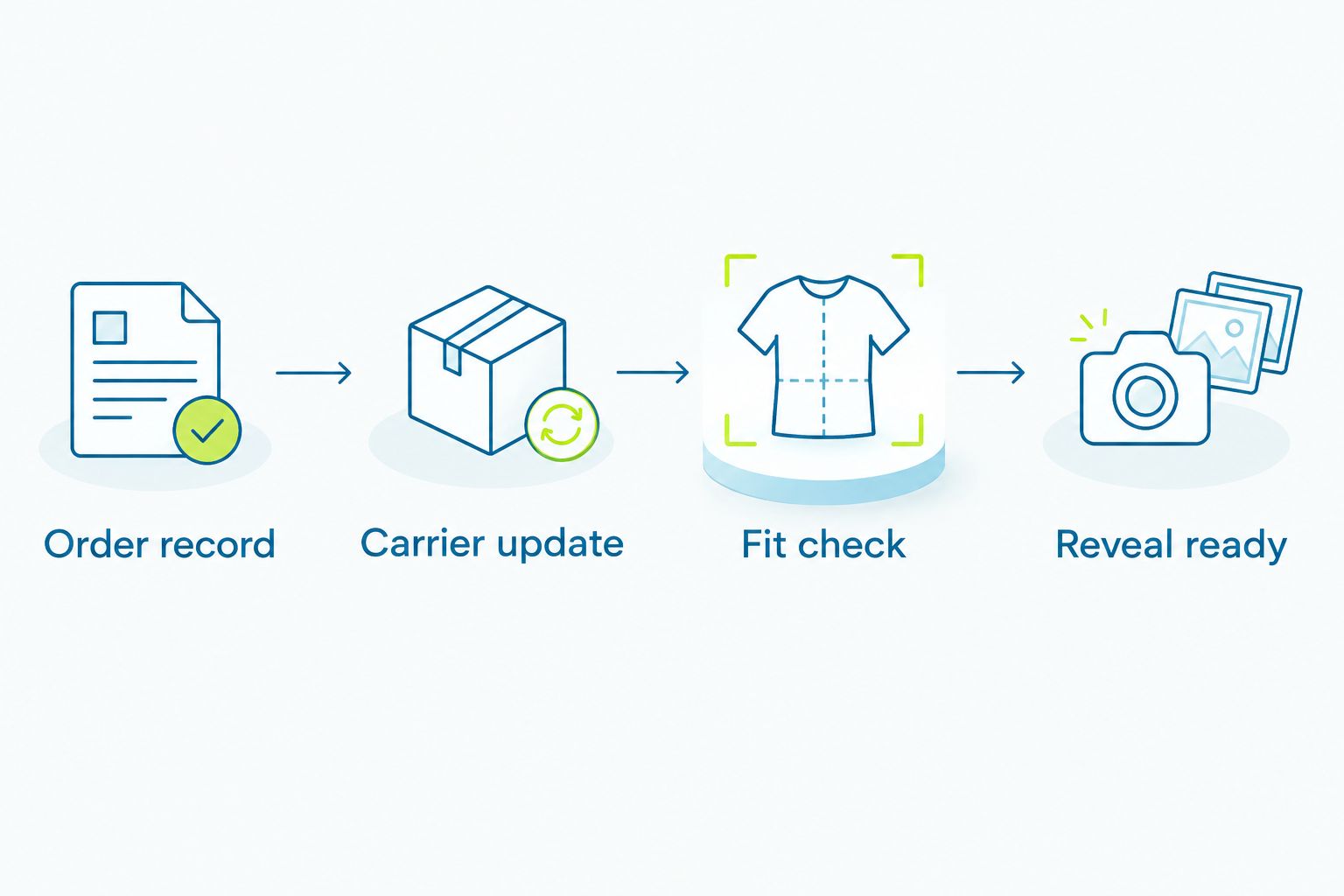
The process has four checkpoints: Order record, Carrier update, Fit check, and Reveal ready. Move forward only when the evidence for that checkpoint exists.
Choose a reveal format you can actually finish
Two adjacent workflows make sense here. Choose by what you need to prove, not by which sounds more ambitious.
| Reveal format | Best for | Advantage | Limitation |
|---|---|---|---|
| Full outfit reveal | Fans preparing a complete character look | Shows the assembled costume and coordinated pieces | Depends on every essential component passing inspection |
| Detail preview | Creators sharing an inspected costume detail before the full look | Lets you show a finished element without claiming the outfit is complete | Does not demonstrate full fit or complete character styling |
Choose the full outfit reveal only after the complete outfit passes your check. A detail preview is a separate content choice, not a workaround for wearing an incomplete costume to an event.
DELIVERY AND FIT CHECK
Inspect before you style
- Locate the delivered parcel and match it to your order. If your order information lists separate shipments, check each shipment independently.
- Compare the contents with Items and Selected variant. Record missing, incorrect, or damaged pieces before mixing the packaging with other costume supplies.
- Read any supplied care instructions before washing, steaming, ironing, or altering the garment. Do not assume different costume fabrics tolerate the same treatment.
- Put on the outfit with the layers and footwear you intend to use. Check sitting, walking, reaching, and any planned pose without forcing tight seams or closures.
- Mark the result Fit approved or Needs action. Describe the actual issue, such as a closure that will not fasten, rather than writing only that the fit feels wrong.
Expected result: your costume has passed a contents check and a movement check before you commit to the reveal.
Set aside a 20-minute inspection session as a starting calendar task, then extend it if the costume needs more attention. This is a suggested planning block, not a claim about how quickly every outfit can be checked.
Use a separate 10-minute photo check to review front, back, and side views. Again, this is your chosen task length—not a product-performance figure. Check how layers, accessories, and closures look together before recording the final reveal.
WHENEVER THE DELIVERY ESTIMATE CHANGES
Use an update-driven version of the workflow when a carrier supplies revised delivery information. It follows the same checklist but starts with a changed shipment event rather than a scheduled manual check.
- Copy the revised estimate and update date into Carrier estimate.
- Compare the revision with Try-on deadline and Backup decision.
- Keep the existing plan if inspection still fits your calendar. If it no longer fits, identify which part of the plan must change.
- Update anyone relying on your costume, such as a photographer or group organizer. Share the practical consequence without presenting an estimate as a promise.
- Leave Fit approved unchanged until you physically inspect the outfit. A better delivery estimate does not approve the garment.
Expected result: one changed estimate produces one deliberate plan update. You avoid both premature cancellation and blind commitment.
For Halloween 2026 group shoots, keep a separate readiness entry for each person. One delivered costume does not establish that the whole group can proceed.
TROUBLESHOOTING
TRACKING SHOWS ONLY A CREATED LABEL
Check whether the history includes carrier acceptance. If it does not, ask the seller to clarify dispatch using your order number and the latest tracking event. Do not describe the parcel as lost solely because the label exists without movement.
THE ESTIMATE MOVES PAST YOUR TRY-ON DEADLINE
Revise the reveal plan now. Ask for order-specific clarification, then decide whether to use an already-owned outfit or postpone the full reveal. Do not plan repairs or alterations around a parcel you have not received.
TRACKING SAYS DELIVERED, BUT YOU CANNOT FIND THE PARCEL
Review the delivery details and check the indicated location, household members, and building reception where applicable. Follow the carrier's missing-delivery instructions and notify the seller through the contact route supplied with the order. Keep the tracking record intact.
THE CONTENTS DO NOT MATCH THE SELECTED OPTION
Compare the parcel with the confirmation, not just the product photograph. Photograph the discrepancy and send a concise description with the order number. Check the applicable policy before making alterations or assuming a particular remedy is available.
THE COSTUME ARRIVES, BUT YOU CANNOT MOVE COMFORTABLY
Stop forcing the fit and identify the restricted area. Compare your measurements with the relevant size information, then ask about the applicable next steps. Do not turn a closure problem into garment damage just to complete a photo.
CUSTOMIZE YOUR WORKFLOW
Expand the checklist around your actual reveal. A solo photo session needs outfit and framing checks; a coordinated group needs individual readiness records and a shared decision date.
For Rosemchale costume purchases, keep product selection and shipping readiness as separate decisions. Finding the right character look does not answer whether your specific order fits your calendar.
If several people need coordinated sizing, use the size-chart-to-group-costume-matching workflow. Add each person's selected size and fit approval to the shared plan without exposing personal measurements unnecessarily.
FAQ
How long is Halloween costume shipping time?
Halloween costume shipping time must come from the estimate for your specific order and the carrier's current information. Separate any stated processing period from transit, and leave time for inspection before your event.
Does a tracking number mean my costume has shipped?
A tracking number alone does not confirm carrier possession. Read the shipment history for an acceptance event or another explicit record that the carrier received the parcel.
When should I order a costume for Halloween 2026?
Choose your order date using the stated processing and delivery information for your destination, plus your own try-on deadline. Halloween is October 31, 2026, but an earlier party or shoot needs its own calendar deadline.
Can I rely on the delivery estimate for my Halloween reveal?
Use a delivery estimate for planning, not as proof that the outfit will be ready. Keep the reveal conditional until you have received the essential pieces and approved the fit.
What should I do if my costume arrives after my try-on deadline?
Revise the reveal plan rather than skipping inspection. Use an already-owned outfit or move the full reveal until you can check the contents, fit, and movement.
How do I check what is included in a Rosemchale cosplay order?
Compare the selected option and confirmation with the pieces you receive. Do not assume that every accessory named in a title or shown in a photograph belongs to your selected configuration.
Do I need an app to track my Halloween costume?
No paid app is required for this workflow. Keep the order confirmation, tracking record, and personal deadlines in a note and calendar; enable carrier notifications if that carrier provides them.
ONE LAST THING
Keep delivery and readiness as separate checklist entries. The most useful final update is not that the box arrived; it is that the complete outfit passed your check. Make that the condition for confirming your Halloween 2026 reveal.